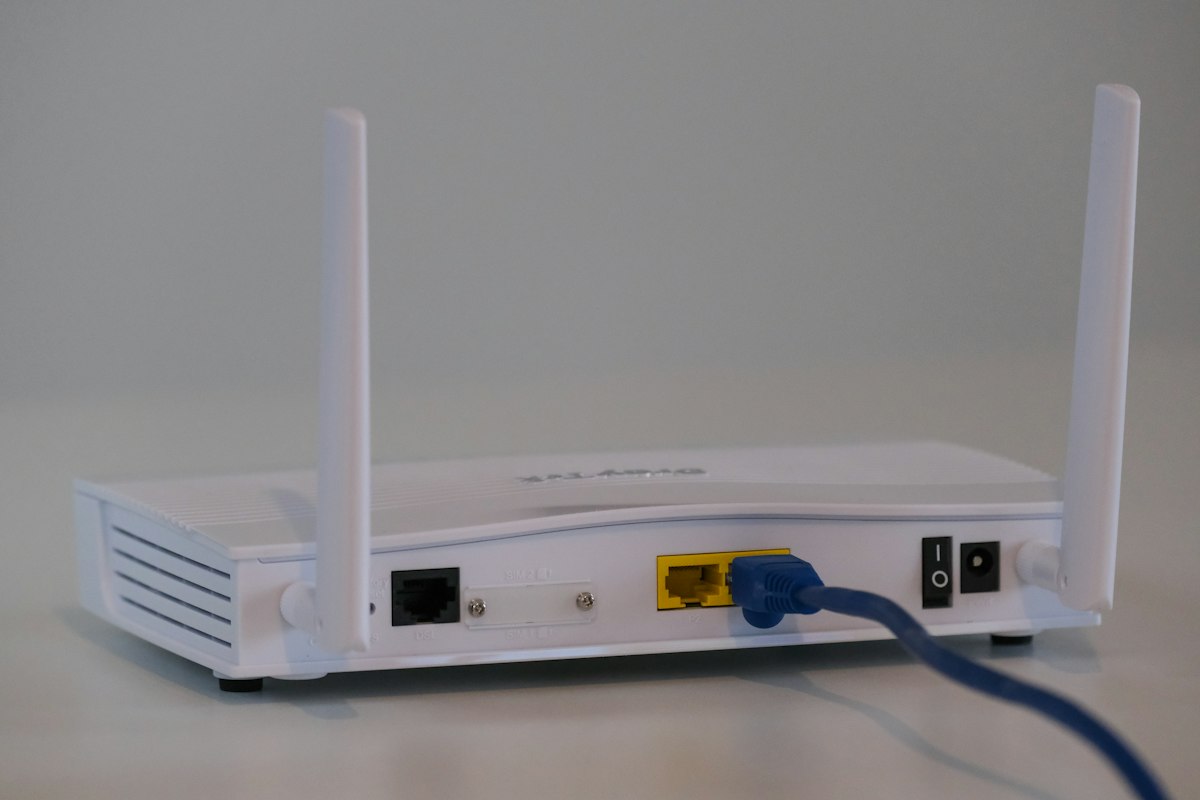
Choosing WiFi 6 vs WiFi 5 comes down to how crowded your network is — not just the megabit number on an ISP bill. WiFi 5 (802.11ac) still delivers solid speeds for light households, while WiFi 6 (802.11ax) was designed for homes packed with phones, TVs, cameras, consoles, and laptops competing for airtime. Before you upgrade, measure today's wireless ceiling on testspeed.space so you know whether hardware or the ISP plan is the limiter.
Marketing sheets advertise multi-gigabit peaks for both generations. Real homes rarely see those peaks. What you feel day to day is how gracefully the network shares capacity when two people stream 4K, someone joins a video call, and a tablet syncs photos in the background. That is where WiFi 6 usually pulls ahead.
Benchmark Your Current WiFi
Test before and after a router upgrade to see real gains on testspeed.space.
Run WiFi Speed Test →
What Are the Core Differences Between WiFi 6 and WiFi 5?
| Feature | WiFi 5 (802.11ac) | WiFi 6 (802.11ax) |
|---|---|---|
| Max theoretical speed | Up to ~3.5 Gbps | Up to ~9.6 Gbps |
| Multi-device efficiency | Average | Much better (OFDMA) |
| Latency under load | Higher when busy | Lower with better scheduling |
| Phone battery impact | Standard | Improved via Target Wake Time |
| 6 GHz band | No | WiFi 6E only |
| MU-MIMO | Downlink focused | Uplink + downlink improved |
OFDMA lets a WiFi 6 router serve multiple devices in the same transmission window instead of making each device wait its turn. MU-MIMO improvements help simultaneous streams. Target Wake Time tells phones when to wake for data, which can reduce battery drain on busy networks. None of these features magically raise a 100 Mbps ISP plan to gigabit — they help you use available airtime more fairly.
Security also nudged forward with broader WPA3 adoption on WiFi 6 hardware. You can often enable WPA3 or a mixed WPA2/WPA3 mode. Stronger encryption does not replace a good passphrase, but it reduces the risk of older attack methods that plagued WPA2-only networks for years.
Is WiFi 6 Faster Than WiFi 5 in Real Homes?
On a quiet network with one laptop next to the router, WiFi 5 can look almost as fast as WiFi 6 if your ISP plan is the bottleneck. The gap widens when many devices are active, when apartments are dense with neighboring networks, or when you move to wider channels on less crowded spectrum (especially with WiFi 6E on 6 GHz).
Client support matters. A WiFi 6 router talking to a WiFi 5 phone will fall back to WiFi 5 features for that client. You still benefit from better overall airtime management for mixed fleets, but your newest devices unlock the full advantage. Check laptop and phone specs for 802.11ax or WiFi 6 before expecting dramatic single-client jumps.
A WiFi 6 router cannot beat a slow ISP plan. Test wired Ethernet first on testspeed.space — if wired is slow, the bottleneck is your service, not WiFi generation.
Compare Wired vs Wireless
Run an Ethernet test, then a WiFi test in the same room to isolate the radio.
Test Internet Speed →When Is Upgrading From WiFi 5 to WiFi 6 Worth It?
- You regularly have 15+ connected devices
- Video calls stutter when someone else streams 4K
- Your router is five or more years old
- You live in a dense apartment with heavy neighbor WiFi
- You want better battery behavior on modern phones
- You plan to add WiFi 6E/7 capable devices soon
When you can wait
If one or two people use the network lightly, coverage is already strong, and tests show you are close to plan speed on WiFi, upgrading generation alone may not feel transformative. Fix placement, channels, and dead zones first. Sometimes a better-positioned WiFi 5 router outperforms a poorly placed WiFi 6 unit.
What About WiFi 6E in the Comparison?
WiFi 6E adds the 6 GHz band with wider clean channels and less legacy clutter. It is excellent near the access point for AR/VR, large downloads, and low-interference links, but 6 GHz range through walls is shorter. Think of 6E as a capacity and cleanliness upgrade for nearby rooms, not a magic whole-home range booster. Mesh nodes that also speak 6E help keep high-band clients close to a radio.
Upgrade Checklist for WiFi 6
- Confirm phones and laptops support WiFi 6 (or accept mixed-mode gains)
- Place the new router centrally and elevated
- Enable WPA3 if all critical devices support it; otherwise use WPA2-AES
- Decide on smart connect versus separate 2.4/5 GHz SSIDs
- Update firmware on day one
- Retest speeds in problem rooms on testspeed.space
- Consider mesh if a single unit cannot cover the floor plan
Also match Ethernet ports to your modem and ISP plan. A multi-gig WAN port only helps if your service and modem support it. For many cable plans under 1 Gbps, a solid gigabit WAN WiFi 6 router is enough — invest leftover budget in mesh satellites or better placement rather than unused multi-gig ports.
List your top five bandwidth hogs. If most are WiFi 5-only, prioritize coverage and channel hygiene; if several are WiFi 6, a generation upgrade pays off sooner.
See Your WiFi Ceiling
Measure current wireless performance on testspeed.space before spending on new gear.
Test WiFi Speed →WiFi 6 vs WiFi 5 for Gaming, Streaming, and Work
Gaming
Competitive gaming cares more about stable latency and low packet loss than peak download. WiFi 6 can reduce latency spikes under load, but a wired Ethernet connection remains ideal for ranked play. If you must stay wireless, place a WiFi 6 node near the PC and avoid microwave-heavy kitchens between you and the router.
Streaming
4K streams need consistent throughput more than burst peaks. WiFi 6 shines when multiple streams overlap. If buffering happens only in one room, fix coverage first — generation upgrades will not punch through brick.
Work from home
Video meetings plus cloud backups punish older routers. OFDMA and better MU-MIMO keep uploads snappier when the household is busy. After upgrading, verify upload speed and jitter from your desk on testspeed.space during typical work hours.
If you are still on a rented ISP gateway from several years ago, ask whether a modern WiFi 6 modem-router or a bridge-plus-router setup is available. Many people see the biggest jump simply by escaping outdated ISP firmware and overcrowded default channels.
How Should Mixed WiFi 5 and WiFi 6 Homes Be Configured?
Most households will run both generations for years. Keep a single SSID when the router handles band steering well, or separate 2.4 and 5 GHz names if older gadgets cling to a slow band. Prioritize WiFi 6 clients for 4K rooms and offices, and leave IoT on 2.4 GHz. After firmware updates, retest a laptop near the router and a phone in a problem room on testspeed.space so you know OFDMA and better airtime fairness are actually helping your mix of devices—not just looking newer on the box.
Frequently Asked Questions
Do I need new devices to benefit from WiFi 6?
You get the biggest gains with WiFi 6 clients, but a WiFi 6 router can still improve fairness on a mixed network.
Is WiFi 6 the same as WiFi 6E?
No. WiFi 6E adds 6 GHz. Regular WiFi 6 uses 2.4 and 5 GHz with newer efficiency features.
Will WiFi 6 increase my ISP speed?
No. It can help you reach more of the speed you already pay for over wireless, especially with many devices.
Should I skip WiFi 6 and wait for WiFi 7?
If your WiFi 5 gear is failing under load now, WiFi 6/6E is a strong buy. Wait for WiFi 7 only if current performance is already fine and devices will support it soon. For the next generation overview, see what is WiFi 7. If you are also deciding how many radios you need for mesh backhaul, compare dual-band vs tri-band routers before you checkout.
Apartment dwellers should also retest at peak evening hours after any upgrade. Neighbor density can erase half the marketing advantage of a new generation if channels stay crowded — cleaner 6 GHz spectrum on 6E hardware helps nearby rooms more than far bedrooms through concrete.
Related Guides
Keep learning with these related SpeedTest Pro articles on testspeed.space:
Frequently Asked Questions
- Do I need new devices for WiFi 6?
- WiFi 6 clients unlock the biggest gains, but a WiFi 6 router can still improve fairness on mixed networks.
- Is WiFi 6 the same as WiFi 6E?
- No. WiFi 6E adds the 6 GHz band. Standard WiFi 6 uses 2.4 and 5 GHz with newer efficiency features.
- Will WiFi 6 raise my ISP speed?
- No. It helps you use wireless airtime better so you can reach more of the plan you already pay for.
- Should I wait for WiFi 7 instead?
- Upgrade now if WiFi 5 is failing under load. Wait only if performance is already fine and you will have WiFi 7 clients soon.